Group your apps.
Bundle the apps that pull you in — Social, Games, News — using Apple's private picker. Marigold never sees the names, just holds the doors. Reuse a group anywhere.
Marigold holds your distracting apps — on schedules that run themselves, and on demand when you need to focus. Every break starts with a minute of breathing. No shame. No lectures. No tricks.
Download on the App Store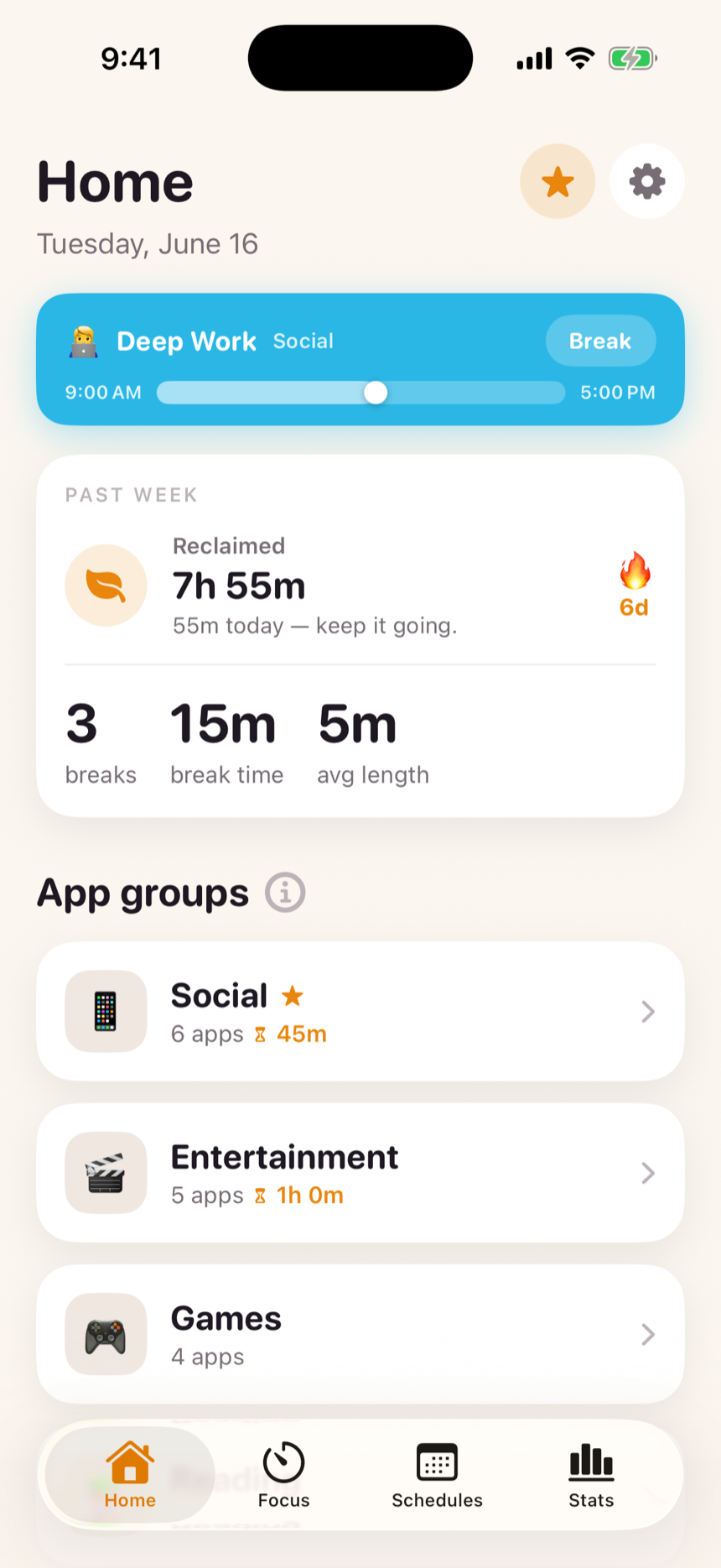
Bundle the apps that pull you in — Social, Games, News — using Apple's private picker. Marigold never sees the names, just holds the doors. Reuse a group anywhere.
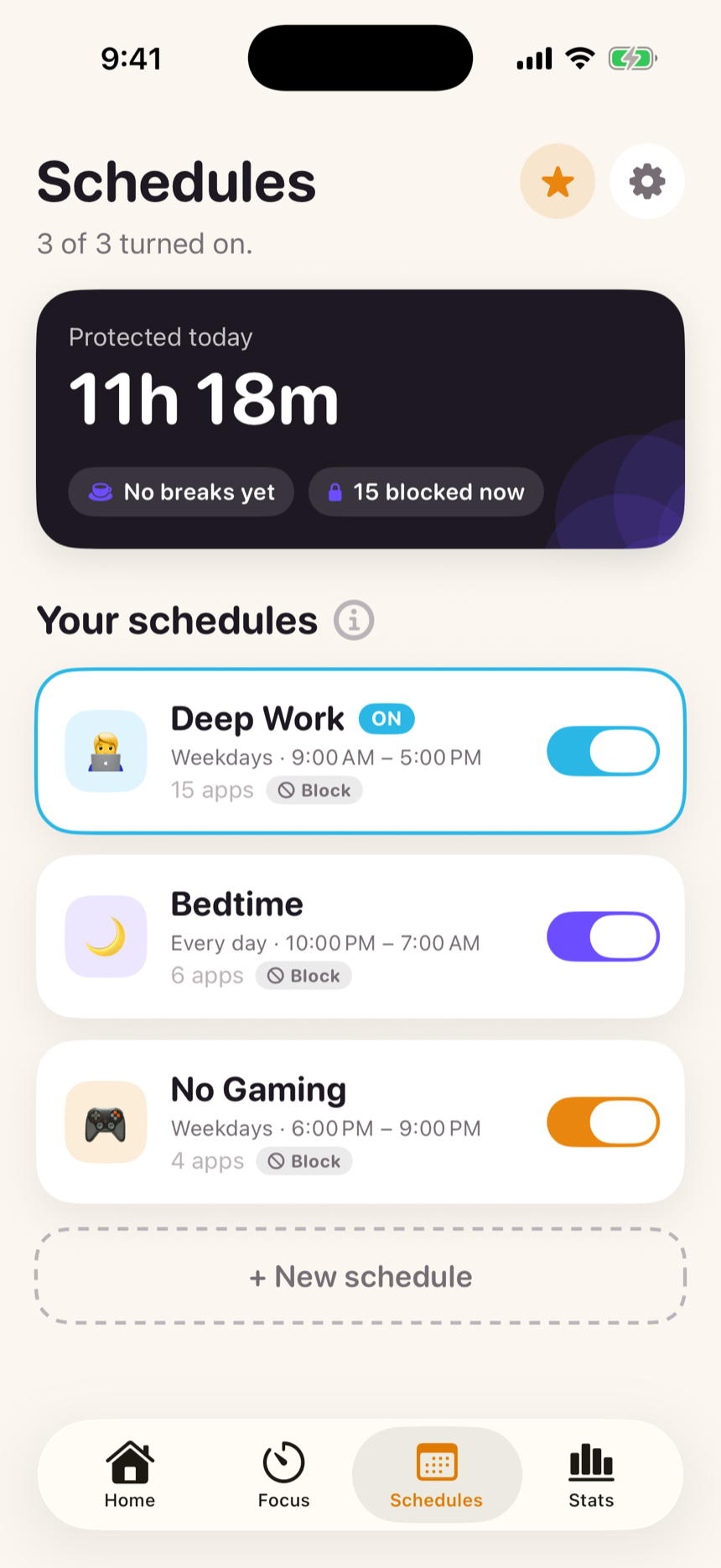
Point a schedule at your groups — work hours, bedtime, the gym — and it runs on its own, even overnight with the app closed. Or start a focus session anytime: 25, 45, 90 minutes, or block everything.
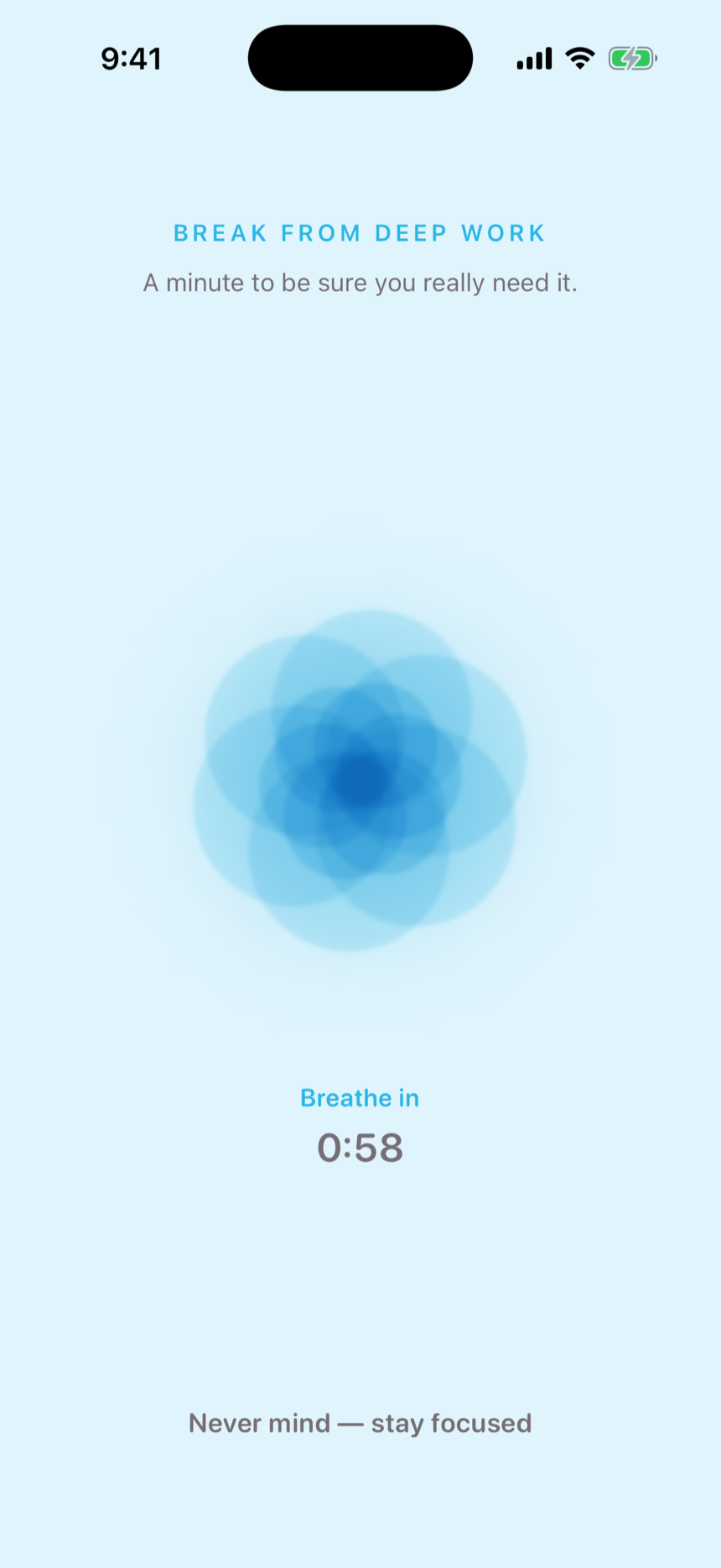
Need a held app anyway? Sixty seconds of guided breathing earns five honest minutes. The pause is the point: it filters impulse, not need.
Most blockers either cave instantly or lock you out completely. Marigold does neither. Every break — and every change of plans — costs the same calm sixty seconds with a breathing flower. Impulses rarely survive it. Real needs always do.
A group is just a named set of apps. Make “Social” once, then point your schedules and focus sessions at it — edit the group and every place that uses it updates too. Give any group a soft daily limit, and it locks itself when you've had enough.
Marigold flips your shields on and off at the minute you chose, even with the app closed and your phone in your pocket. Each schedule can hold several groups at once, and you choose its mode: block these apps — or allow only these, and block everything else.
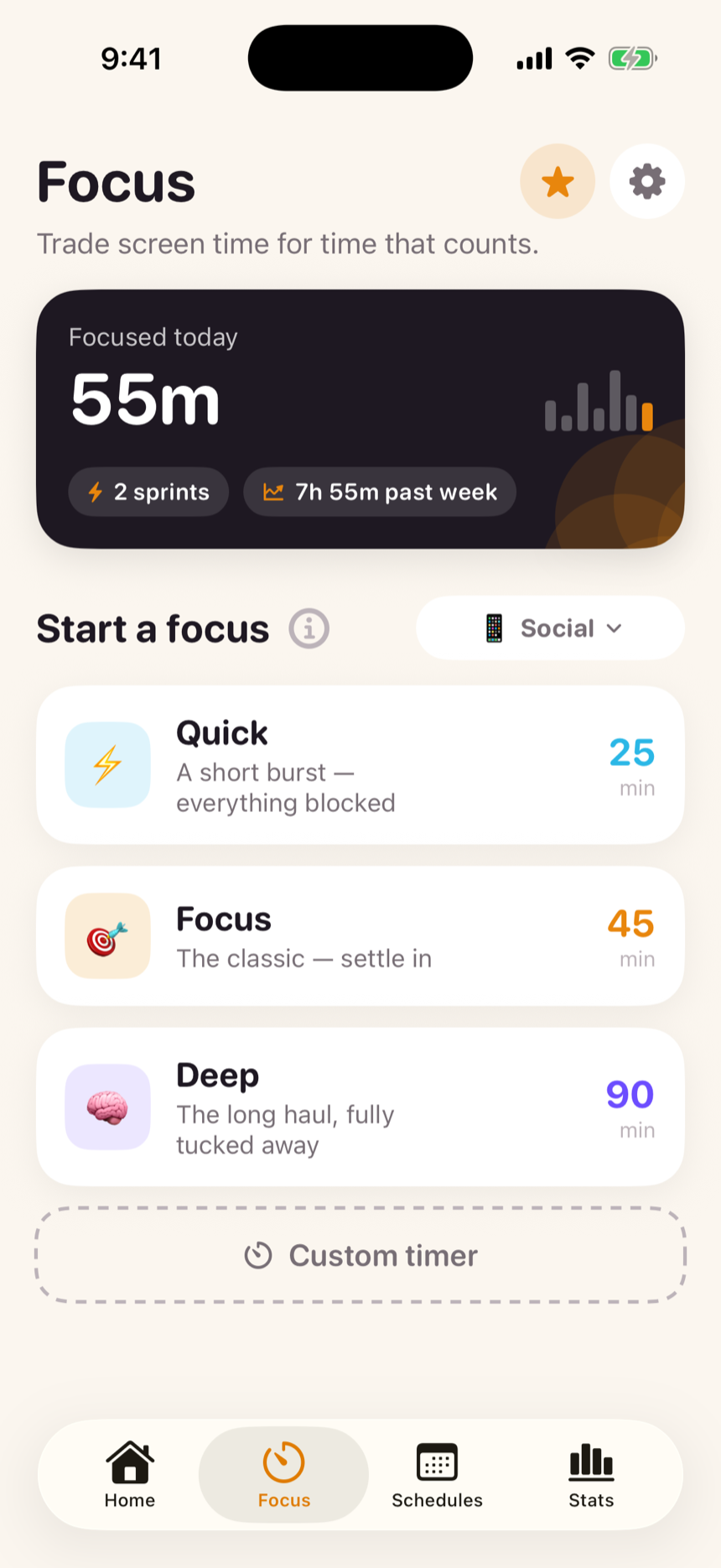
One tap tucks your apps away — a single group, or every app on your phone. A live countdown sits in the Dynamic Island while you work, and finished minutes bank toward your day and your streak. Quit early and nothing counts — which is exactly why the streak means something.
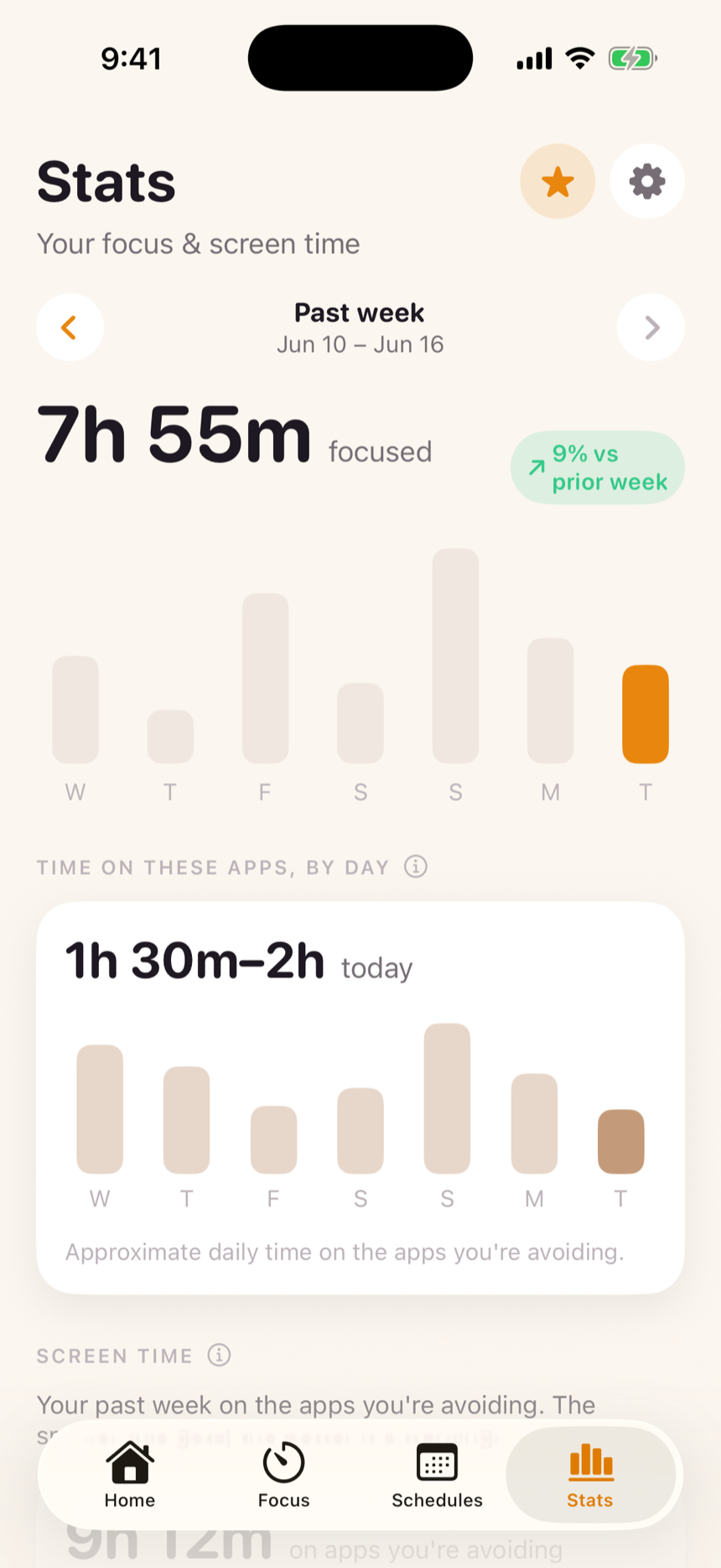
Focused minutes are minutes you actually focused. Breaks are counted, not judged. Step back through past weeks, and see the truth most apps hide: how much time still got through — the number that should shrink.
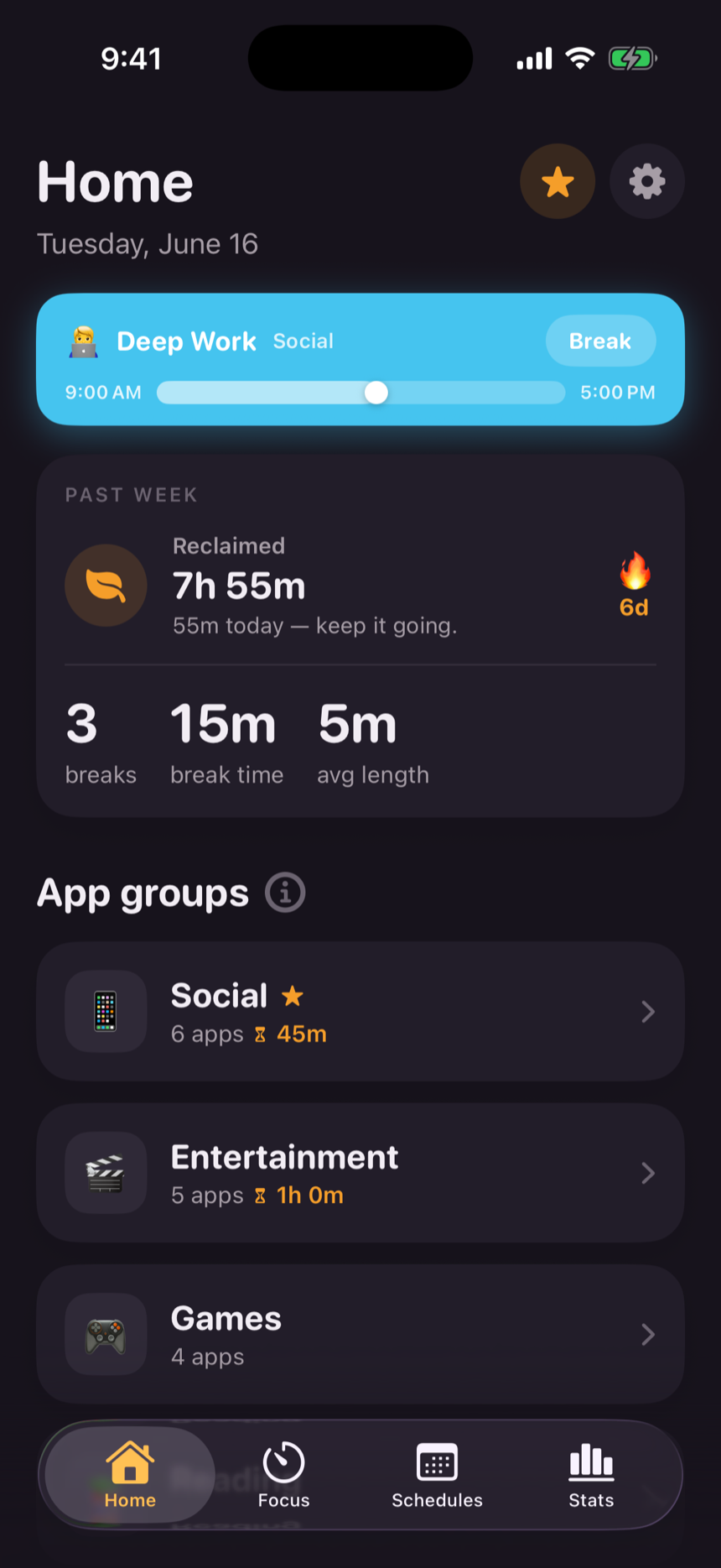
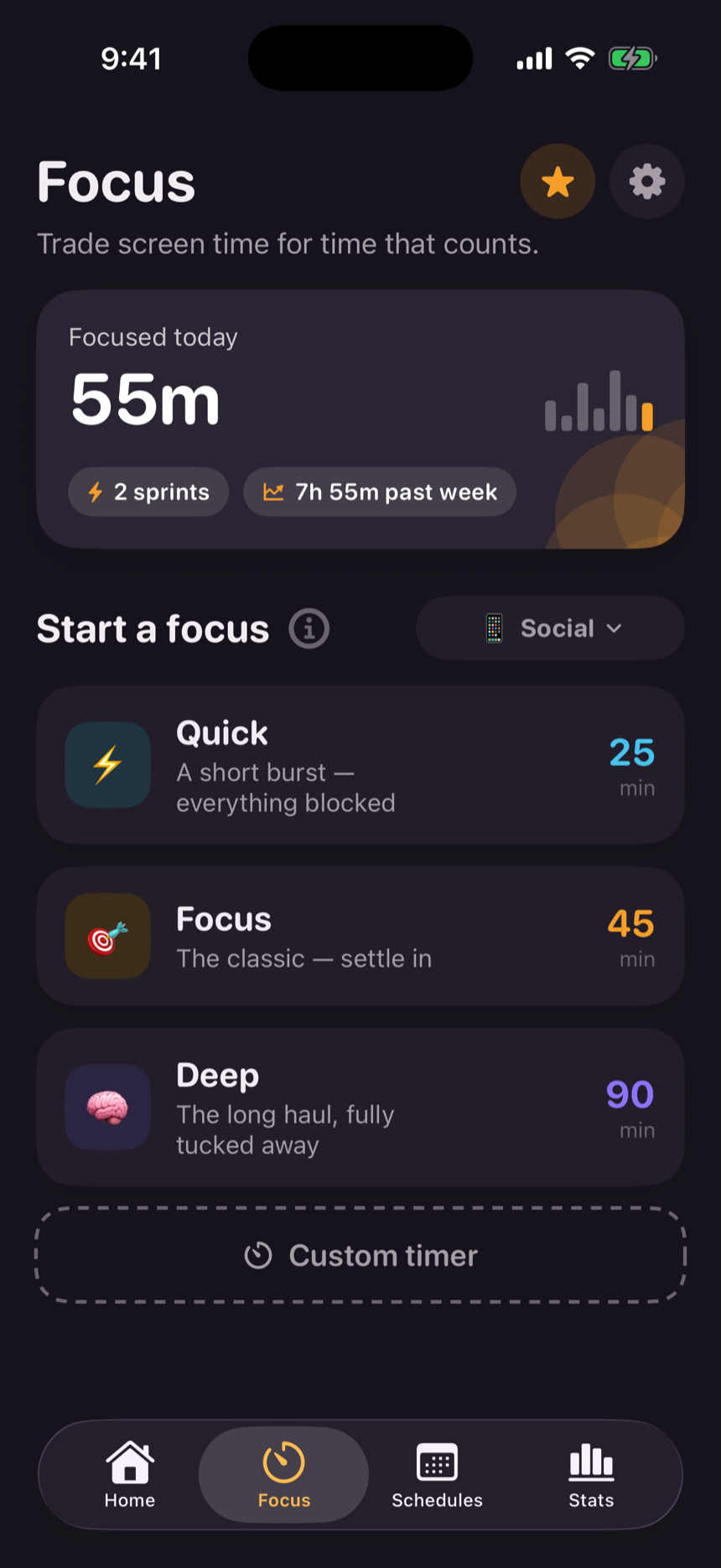
Full dark mode across every screen, the widget, and even the block screen. The breathing flower glows.
Everything you need to build the habit.
For when one schedule isn't enough.
One purchase covers every device on your Apple ID.
Marigold is built on Apple's Screen Time technology. Your app choices reach us as anonymous tokens we couldn't read if we wanted to. There's no account, no analytics, no server. Purchases are handled entirely by Apple — we never see a card. Delete the app and every trace is gone.
Your apps can learn the same rhythm.
Download on the App StoreNo. Marigold is a self-control tool for your own phone. You choose the apps, the hours, and you can always earn your way through a block. Nobody holds the key but you.
Yes — through the same Apple framework Screen Time itself uses. Held apps show a block screen instead of opening.
Take a break: sixty seconds of breathing unlocks it for five minutes. Marigold is friction, not a prison — it makes opening Instagram a decision instead of a reflex.
The core app is free — up to three app groups, three schedules, focus sessions, the breathing gate, and your stats. Marigold Pro adds unlimited groups and schedules, allow-only focus, daily limits, and custom timers, for $9.99/year or $29.99 once. One purchase covers all your devices on the same Apple ID.
A block schedule holds the apps you pick. An allow-only schedule flips it around — everything is blocked except the apps you choose, for a strict, distraction-free stretch. Allow-only is part of Pro.
None. There is no account, no analytics, and no server to send anything to. Purchases run through Apple, so we never see your payment details. Read the privacy policy — it's one page, because there's nothing to disclose.
Yes — iPhone running iOS 17 or later.